
ClickFix
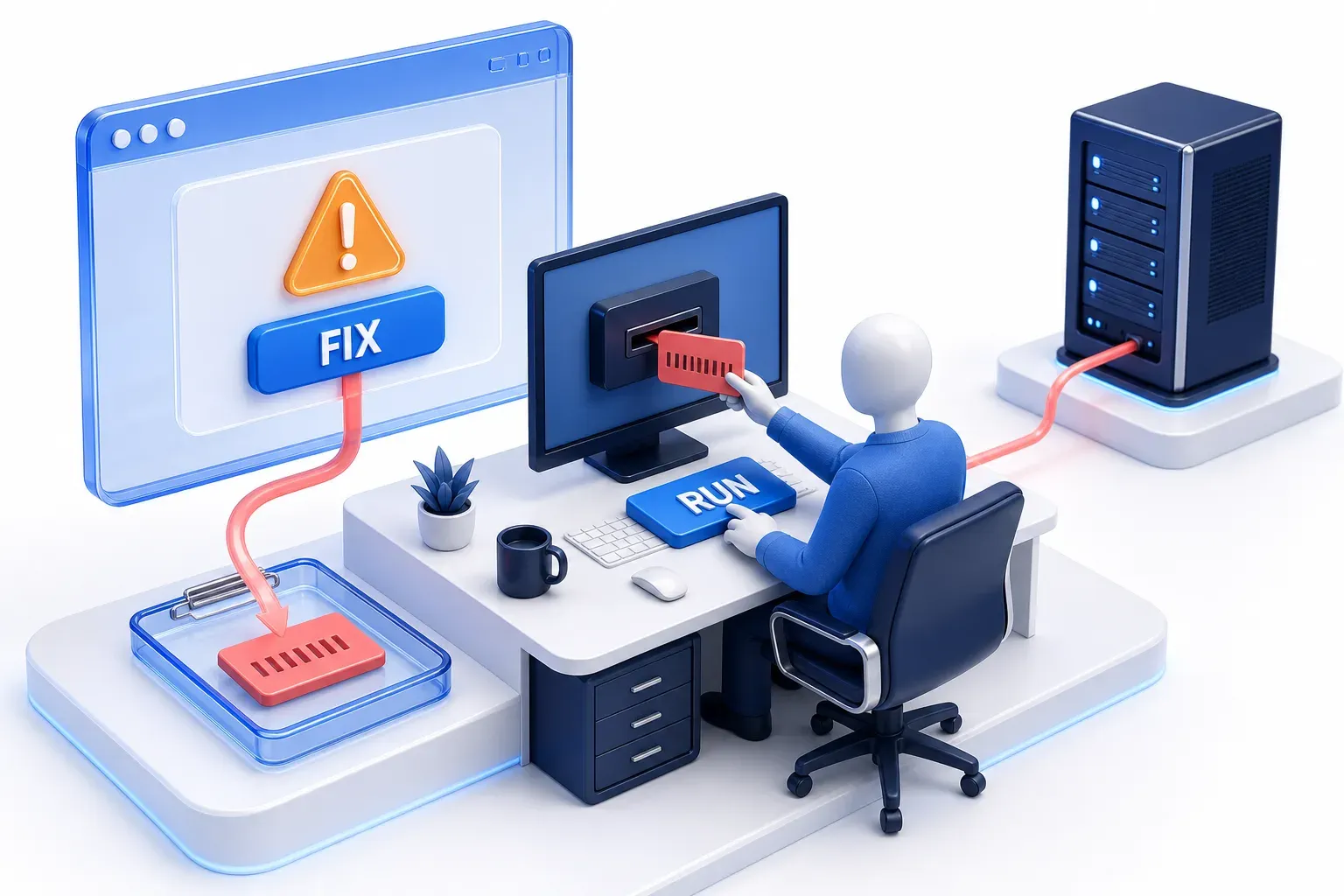
ClickFix is a social-engineering technique that gets a person to infect their own computer. A page, email or document shows a fake problem or human check and offers a "fix": run an attacker's command, usually by pasting it into a system tool, often already copied by the page. The person's own action, not a download, starts the infection.
Help Net Security says the name comes from the fake "Fix It" prompts used to lure victims.
CyberRecaps is supported by its readers. We may earn an affiliate commission at no extra cost to you if you buy through a link on this page.


Explain It Like I'm 10
Imagine your tablet game suddenly says it is broken and tells you to copy a magic phrase into the parent-controls box to fix it. The phrase looks like nonsense, but it secretly tells the tablet to let a stranger in. The tablet obeys because its owner typed the phrase, and a tablet trusts its owner. ClickFix works the same way: the trick is getting you to do the last step yourself.
ClickFix Quiz
Test your knowledge about ClickFix - maybe you already know everything about it.
What is ClickFix?
How does a ClickFix attack work?
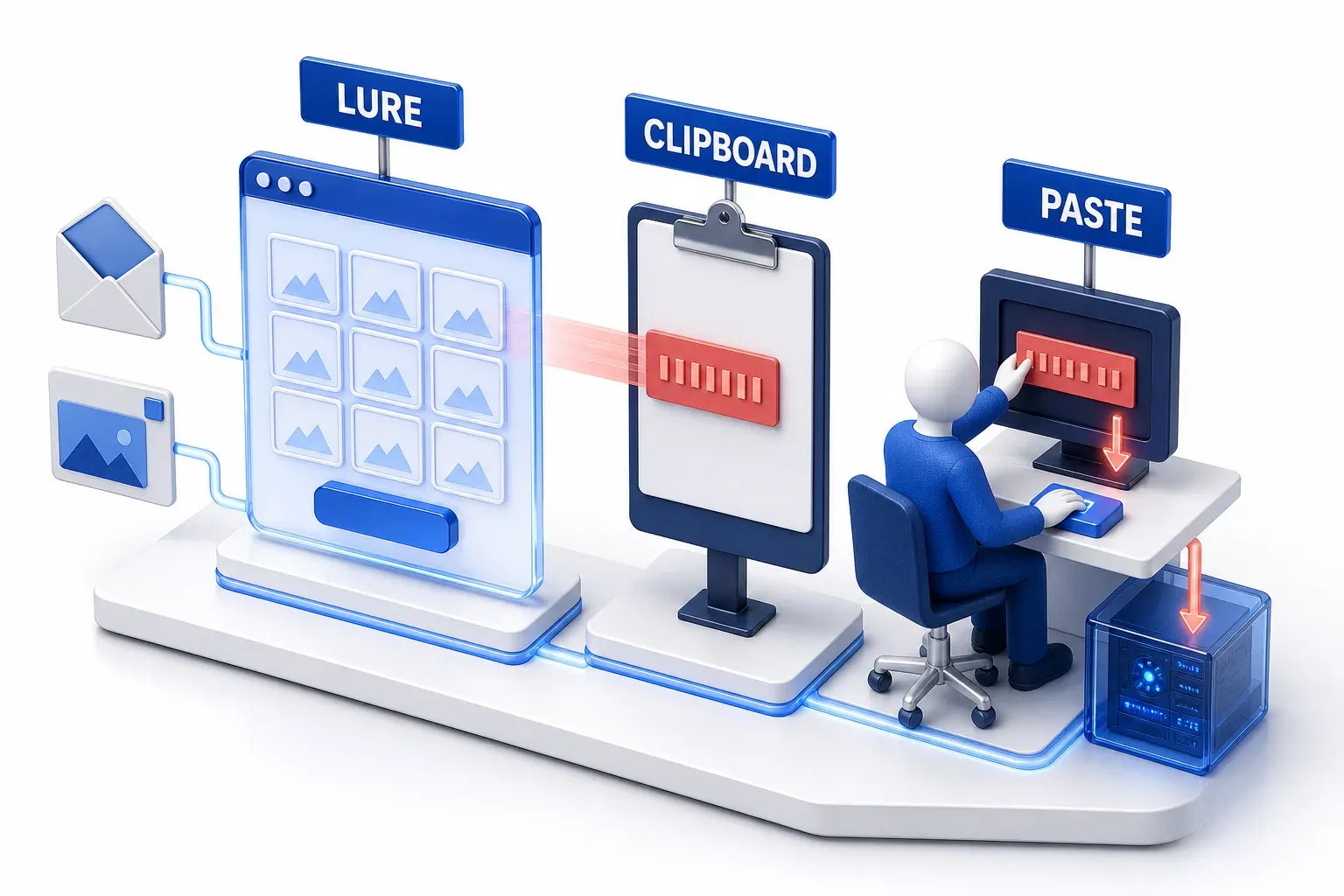
A ClickFix attack is a short chain with three parts.
The lure
Microsoft names three routes to a ClickFix page: a phishing email, a malicious ad, or a compromised or malicious website. In the usual form, the page shows a problem that is not real, such as an error or a human-verification check, and offers a way to put it right. MITRE describes the pattern as "seemingly helpful solutions" and notes that the same lure can arrive in an email attachment. Microsoft says the technique takes advantage of people's tendency to solve minor technical issues.
The clipboard
The clipboard is where a computer holds whatever was last copied. A ClickFix page puts its command there. Microsoft describes a button that, once clicked, copies the code to the clipboard in the background while the page explains how to paste it elsewhere. Google adds that the command pasted is often not the command the page shows. In the chain Microsoft and MITRE describe, copying alone does not run the command: that takes a paste into a tool that runs commands, covered next.
The paste
The page then tells the person to open a tool built into the operating system, such as the Windows Run box or a terminal (a window for typing commands), paste the command and run it. Those tools exist to run commands, so the computer carries out what the user enters as the user's own action. Microsoft says that once the user runs the command, malware is downloaded onto the device.
The line between pasting and running can blur. The Windows Terminal documentation says that in most shells (the programs that read what is typed into a terminal) one line corresponds to one command, so pasted text that contains a new-line character might run one or more commands automatically, before the user has time to check them.
Where MITRE ATT&CK files it
MITRE ATT&CK files this as T1204.004 Malicious Copy and Paste, a sub-technique of User Execution in its Execution tactic, and calls ClickFix one strategy within it. ClickFix is a technique, not a software vulnerability: the person's own action carries out the command, and Microsoft says it "relies on human intervention to launch the malicious commands".
Why does ClickFix get past security tools?
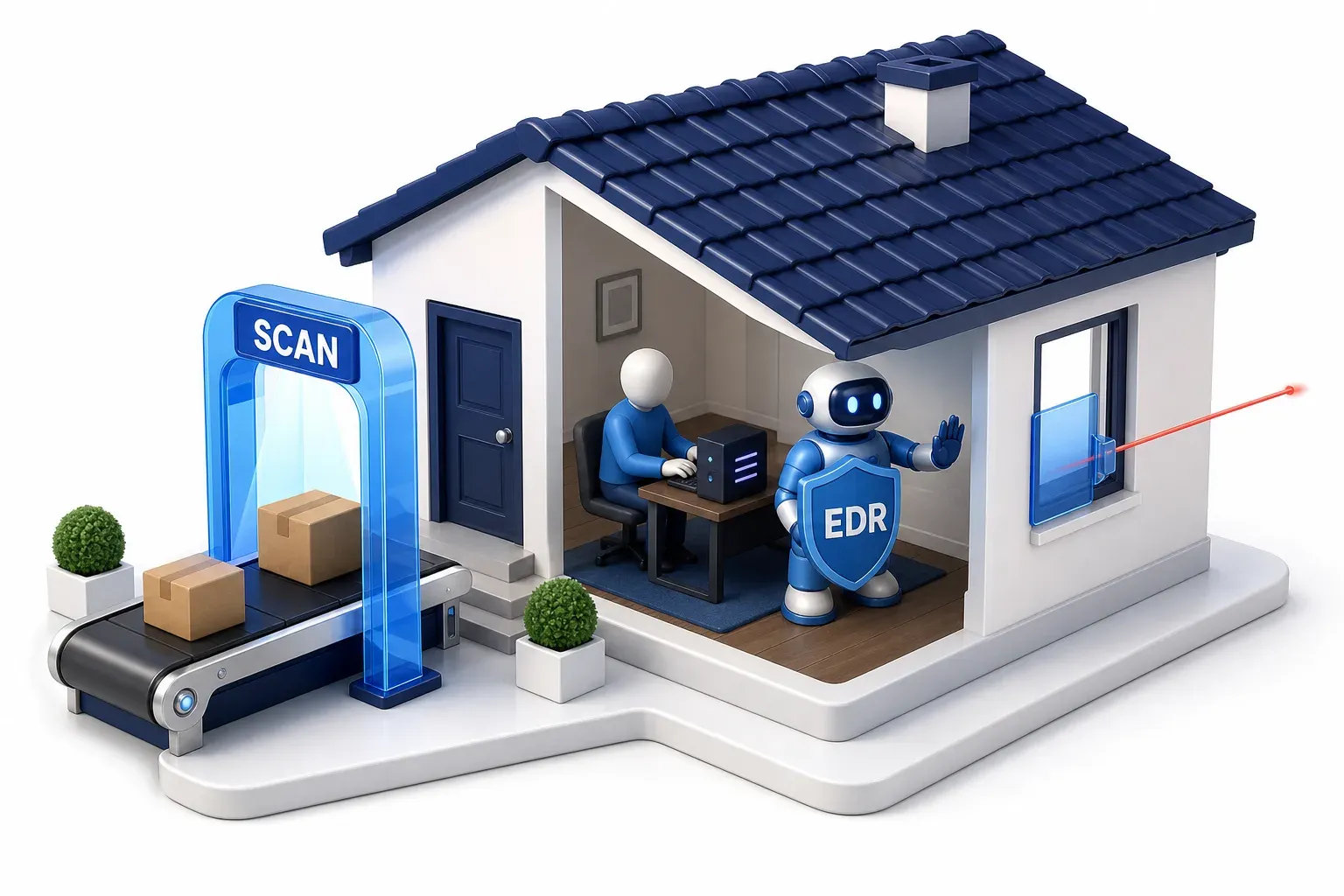
MITRE says that getting a user to run a command themselves may help bypass email filtering, browser sandboxing and other protections built for malicious downloaded files. Google makes the same point about Chrome: by moving the download out of the browser and into the terminal, attackers sidestep Chrome's and Safe Browsing's download protections.
Microsoft says a campaign that uses the technique can get past conventional and automated security solutions, because it relies on a human to launch the command.
What still catches it
That does not make it undetectable or unstoppable. Detecting an attack, preventing it and a successful compromise are three different outcomes. Microsoft, which sells endpoint security products, describes protections at several points in the chain:
- Detection at initial access: it says its endpoint product detects and mitigates the initial access activity, such as suspicious programs starting and commands being run.
- Prevention at the network: its network protection blocks the attacker's servers early, which prevents the download or execution of first-stage payloads (the first malware the command fetches).
EDR (endpoint detection and response) software watches what a device runs for signs of an attack.
Microsoft's observation also shows a limit. In early 2025 it counted thousands of devices a month on which a user had run a ClickFix command, even with EDR enabled. So EDR being present did not invariably prevent the user-triggered command from running. That count does not show that those attacks went undetected or that a payload went on to run. Tools that inspect downloads may never see the attack, while tools that watch what runs or block the attacker's servers can detect it or interrupt the chain at other points.
What happens after the command runs?
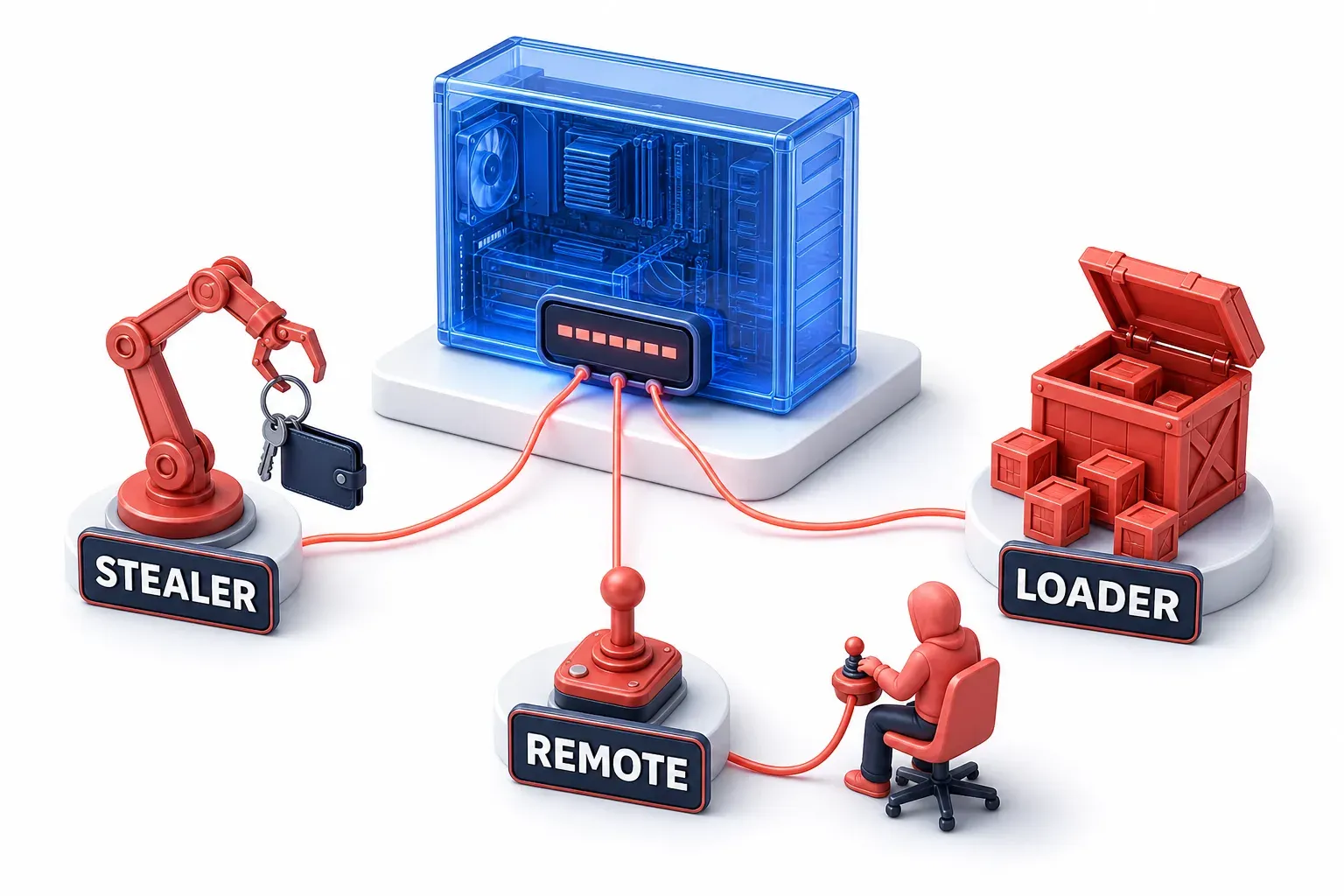
The command downloads and starts other software. Microsoft's observations list three kinds of payload:
- Infostealers: malware that steals stored information from the device. Lumma Stealer appears to be the most common in Microsoft's observations.
- Remote access tools: software that lets an operator work on the device by hand.
- Loaders: malware that brings in more malware.
ClickFix therefore names how the malware gets run, not one kind of malware, which is why there is no single "ClickFix malware" to remove.
The command can also open a larger intrusion. In July 2025 the FBI, CISA, HHS and the Multi-State Information Sharing and Analysis Center published an advisory on Interlock, a ransomware operation that steals data and then encrypts systems. It says that in some instances the FBI observed the operators using ClickFix, with a fake human check, to get a user to run the first payload, and that the technique has been used in several other malware campaigns.
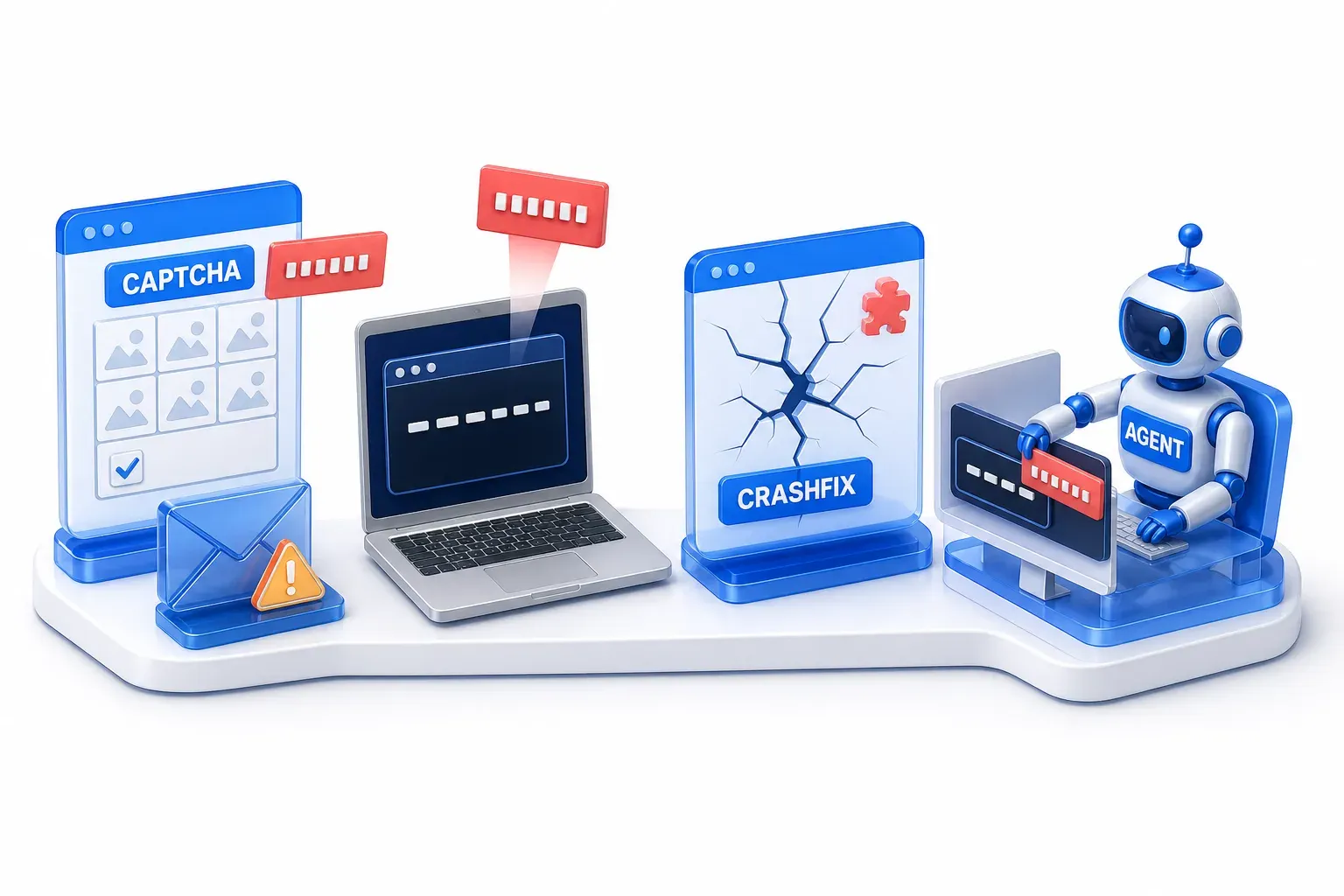
What forms does ClickFix take?
The pattern is a problem and a fix to paste, but the setting changes:
- A fake error or human check, on the web or in email: MITRE lists prompts to fix errors or complete CAPTCHAs (tests meant to prove a visitor is human), and an email attachment that shows a fake error and offers a command to paste as the solution.
- On macOS: Microsoft describes attackers persuading users to copy and run a command in Terminal, the Mac's built-in command tool, instead of downloading a traditional macOS application.
- CrashFix: in January 2026 Microsoft Defender Experts identified a variant that deliberately crashes the victim's browser and then offers a fix. It typically begins when someone searching for an ad blocker meets a malicious ad that leads to a harmful browser extension; the extension later crashes the browser and shows a fake warning. The problem the "fix" claims to solve was caused by the attacker.
- Aimed at AI agents: in a demonstration dated 24 May 2025 and recorded by MITRE ATLAS, a researcher's web page led an AI computer-use agent to paste and run a command. The agent hijacking entry covers that case.

How widespread is ClickFix?
Microsoft first observed the technique between March and June 2024, in email campaigns. By August 2025 it described campaigns "targeting thousands of enterprise and end-user devices globally every day", which counts devices targeted in Microsoft's own observations, not devices compromised.
ESET, a security vendor, reported that its ClickFix detections grew by 108% between the second half of 2025 (June to November) and the first half of 2026 (December to May). That is a growth rate in one company's detections, and the report page gives no underlying counts, so it shows direction rather than size.
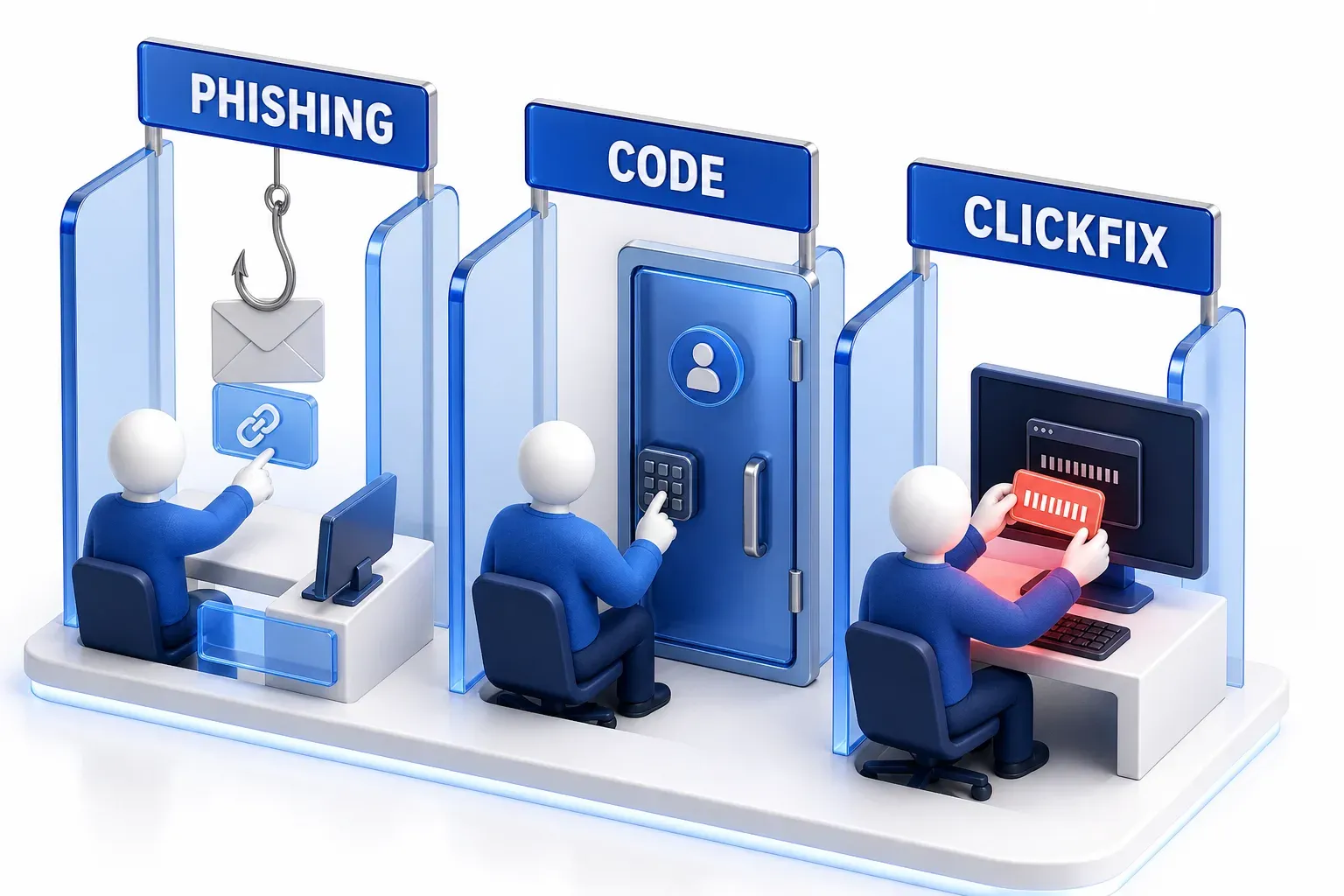
How is ClickFix different from phishing and other attacks?
Phishing is a scam in which a message pretends to come from someone you trust, to get you to click a link, open a file, pay or hand over details. ClickFix often arrives through phishing, but it asks for something else: running a command.
Device code phishing is a different attack, in which the person types a short code into a real sign-in page. The difference is where the risky step sits. ClickFix moves it from a file or a form to the person's own copy, paste and run of a command.
Attack | What the person is asked to do | What the attacker needs from that action |
|---|---|---|
Typical phishing | Click a link, open a file, pay or hand over details | The click, the file, the payment or the details |
ClickFix | Copy, paste and run an attacker's command in a system tool | The command runs on the person's device |
Device code phishing | Type a short code into a real sign-in page | The attacker's own device is let into the account |
Download attacks | Open or run a file that was downloaded | A file that email, browser and download checks can examine |
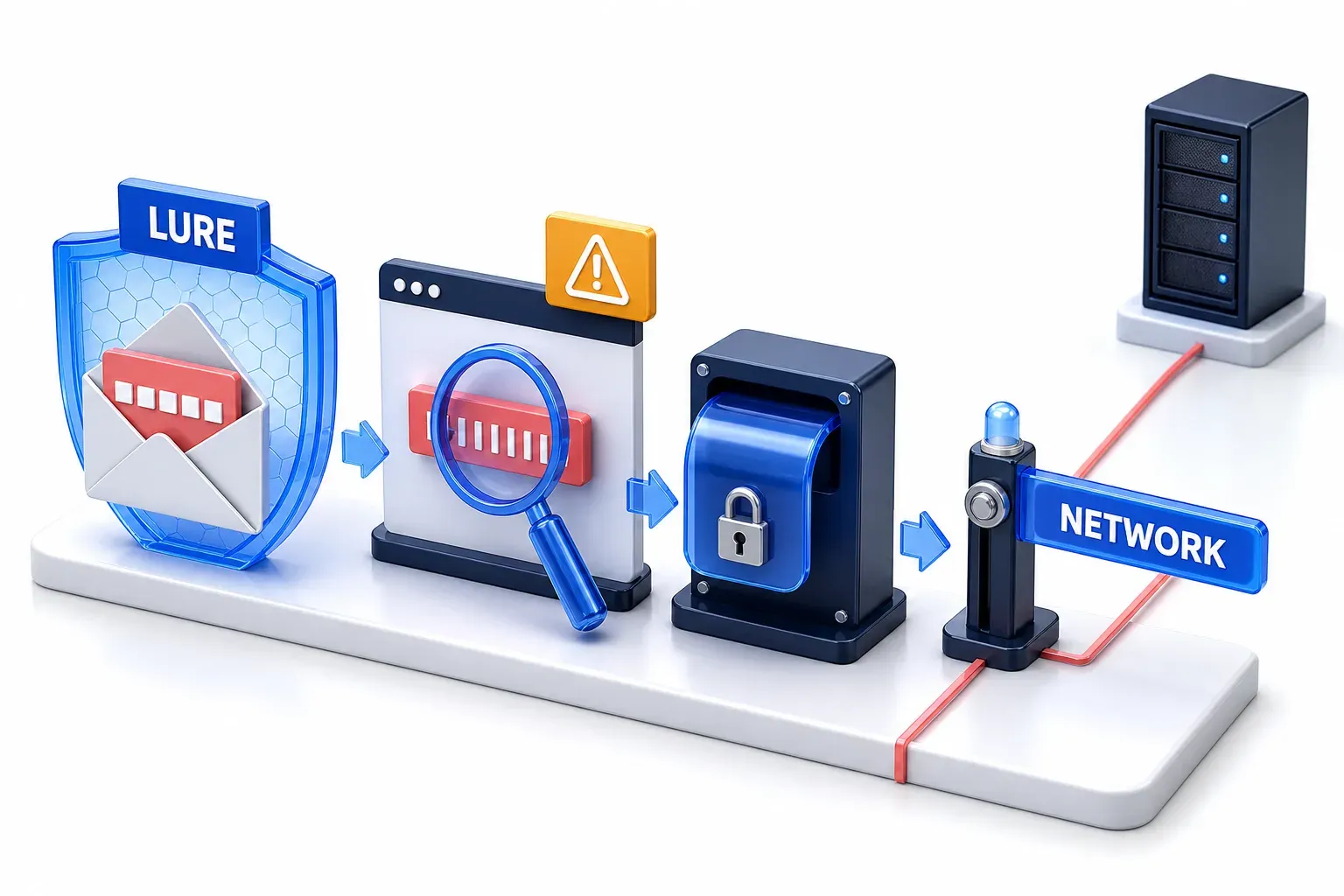
How do you defend against ClickFix, and where do defenses stop?
Defenses can step in at four points: the lure, the clipboard, execution and the network. At the lure, Microsoft says its Defender for Office 365 has fake CAPTCHA behavioral signatures that proactively block ClickFix-related phishing emails. Each defense covers only the people, browsers or devices where it is deployed, and none shows that a command is safe: the absence of a browser or terminal warning is not evidence of safety.
Device settings and policy
Microsoft's guidance for organizations is to remove or interrupt the paste path where it is not needed. It suggests disabling the Windows Run box, creating an application-control policy that stops native Windows programs launching from it, and configuring Windows Terminal to warn when pasted text has several lines. MITRE lists application control as a mitigation too. These act at execution and apply only on devices where the policy is deployed, and Microsoft frames the first as advice for environments that do not need the feature.
Each has a limit:
- Restricting the Run box closes one route: it does not block every way to launch a command, and Microsoft notes that early ClickFix lures sent users straight to Windows Terminal or PowerShell.
- The multiline-paste warning checks lines, not intent: the Windows Terminal documentation describes it as a prompt before pasting text that has multiple lines, so a harmful command written on one line may not trigger it.
Browser and operating-system checks
A newer class of safeguard checks the text as it is copied or pasted, before the command runs. On 20 October 2026 Google said Chrome now detects when an Enhanced Protection user copies a suspicious command. The copied text, stripped of personal information, goes to Google's Safe Browsing service for analysis, and Chrome shows a warning if the verdict is dangerous. It protects only people who have turned that setting on, and Google says it is built to be high precision so that it does not disrupt legitimate developer activity.
Two more checks:
- Opera: Opera announced Paste Protect on 2 July 2026. Its injection protection monitors clipboard activity in real time for potentially malicious commands and, when it detects a threat, blocks the copy and shows a warning. Opera says the feature is switched on by default in its desktop browsers, and developers working with trusted sources can override a block.
- macOS: Help Net Security reported on 31 March 2026 that macOS Tahoe 26.4 warns before some commands are pasted into Terminal, and that it was unclear which commands trigger the warning.
These checks cover only people who use that browser or system.
A rule a person can apply
Microsoft's advice includes user education: make sure users are aware of what they copy and paste. For macOS it adds that no legitimate download, CAPTCHA or verification step requires pasting a command into Terminal. Treat that as a rule about one situation: a page, email or app that interrupts you with an error, an update or a human check and sends you to the Run box or a terminal to fix it. Developers do paste commands from documentation they chose to open, which is why Chrome's check is built to leave that alone. A page that asks you to paste a command is a warning sign, so close it.
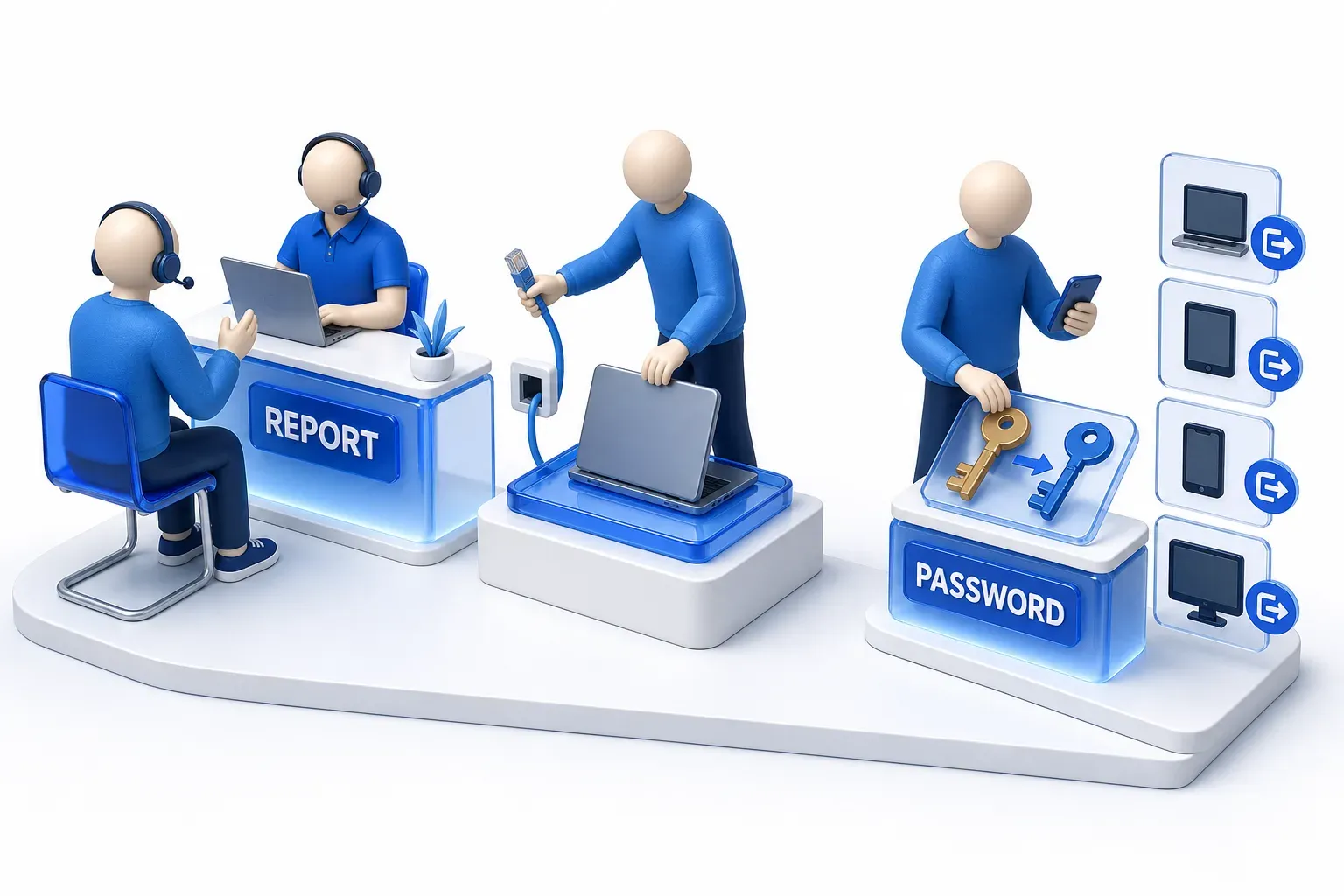
What should you do if you ran the command?
In the ClickFix chain Microsoft and MITRE describe, clicking the lure or copying its text does not by itself run the command, which needs a paste into a tool that runs commands. If you pasted it into the Run box or a terminal, or are not sure whether you did, follow the guidance below.
If work accounts or data may be exposed, tell your IT or security team straight away and follow your organization's response process. The UK's National Cyber Security Centre (NCSC) gives the same advice for phishing messages that arrive on a work laptop or phone: contact your IT department. On a managed device, do what that process says. The University of Florida, for example, tells its people to report at once and to disconnect a managed device from the network and stop using it, but not to shut it down or log off.
For a personal computer, these steps come from US and UK government guidance and one US university:
- Disconnect it and stop signing in from it: disconnect the computer from the network, stop using it, and immediately stop logging into online accounts with your usernames, passwords or other sensitive information.
- Scan, knowing the limit: update your security software and run a full scan to remove the malware. A scan does not settle which accounts were reached. Where malware has stolen sign-in cookies, Google notes that they can keep working even after the malware is detected and removed.
- Change passwords from another device: use a different device, not the computer you ran the command on, to change any passwords you have used or stored on that computer, and turn on two-factor authentication in case the malware gave a hacker access to your accounts.
- Sign out devices and apps still logged in: after changing passwords, make sure any devices and apps that may still be logged in are logged out, which can usually be done from the Settings menus of the app or website.
Reporting depends on where you live:
- US: report to the FTC at ReportFraud.ftc.gov, or to the FBI's Internet Crime Complaint Center (IC3), the central hub for reporting cyber-enabled crime.
- UK: Report Fraud covers England, Wales and Northern Ireland. In Scotland, report via police on 101.
- Elsewhere: look for your country's national cyber or fraud reporting service.